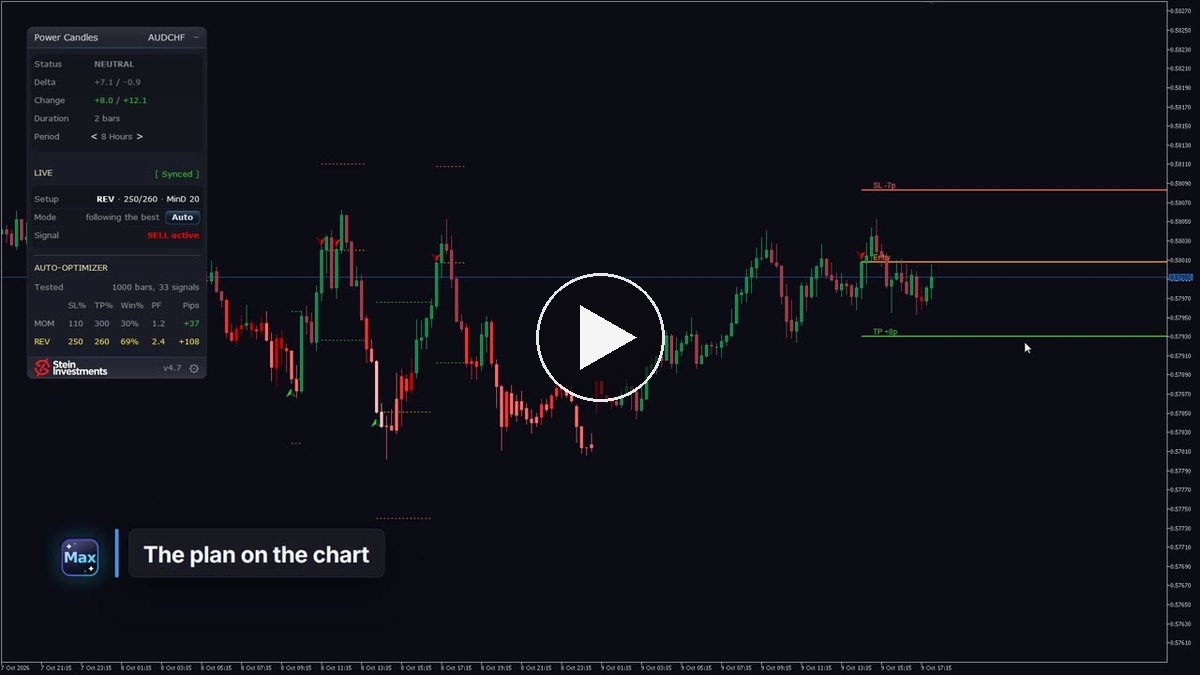
Is this a moment to trade? Which direction? Where do stop and target go? Power Candles answers all three on your MetaTrader 5 chart, and its film shows how in ninety seconds: the Indicator and the Power Candles Strategy Scanner together, on AUDCHF and EURUSD. Watch the film
The signal comes first. Every candle is coloured by its strength, and the Signal line says plainly what is active, a SELL for example.
For the direction, Power Candles tests with and against the momentum on the last 1,000 candles of that market, over 3,000 options, and keeps what held up best. Tested, not guessed. Entry, stop loss and take profit then stand on the chart at exact prices, green arrows for buys and red for sells, and every past trade of the setup is drawn in, so you see how each one ended.
Auto-apply keeps the plan current after every closed bar. When a market gives too few signals to trust, the panel tells you so.
The Scanner asks the same three questions across your Market Watch, ranks what is tradable and alerts you when a fresh signal fires. Click the symbol name, and your chart switches, with Power Candles loaded and its plan already drawn. Signal, direction and plan on the chart, and the Scanner tells you which chart. The decision stays yours.
Version 4.7 of the Indicator is in the MQL5 Market, and it makes the panel faster to read:
- LIVE shows what your chart is doing. The panel reads Setup, Mode and Signal, and a short reason such as "following the best", "waits for the exit" or "your setup" tells you at a glance whether your chart follows the optimizer and what it is waiting for.
- Auto-apply sits in the main panel. A click on the Mode row switches between Auto and Manual, right where you see the result.
- The folded panel speaks the same language. It shows the setup and the signal word written the same way as under LIVE.
- Apply Best stands alone. "Reset symbol to defaults" lives on the Settings page now, so every click in the LIVE header does what it says.
- Full-size logo at 175 % and 200 %. On screens scaled up in Windows, the footer logo shows at full size.
Your signals, arrows, alerts and settings carry over as they are.
If you own Power Candles, 4.7 is a free update in the MQL5 Market. New to it? Start with the Indicator, it answers the three questions on any chart you open. The Scanner adds the view across your Market Watch. Both are a one-time purchase with every update included.