Since the last report, three tools have moved on a good distance: the Premium Trade Manager, the Power Candles indicator and the Power Candles Scanner. This time one theme runs through all three. It is about control: over what sits on your chart, and over shaping every detail to the way you work.
Premium Trade Manager
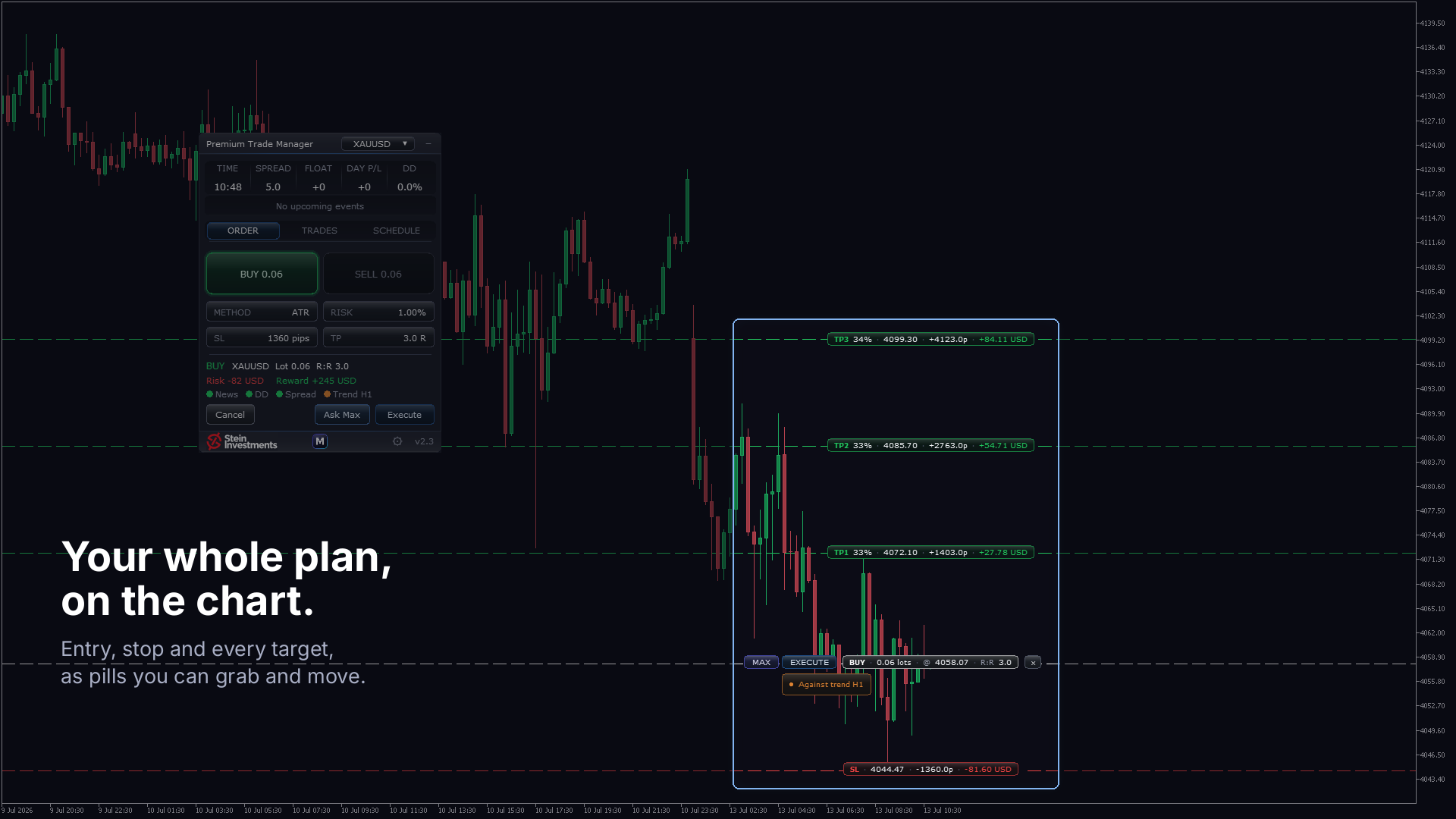
Version 2.3 puts your plan where you actually work: on the chart.
- Every partial target sits on the chart on its own line, labelled with its share, its R multiple, its distance and what it pays in your account currency. The worth of your plan reads straight off the chart.
- Every level can be grabbed and dragged, and the numbers follow while you move it. That goes for the partials and for the stop and target of an open position alike. A level you placed by hand stays exactly where you put it.
- Your targets are measured against the risk you took at entry. That keeps your stop a pure risk tool: trail it whenever you like, and your targets stay where you set them.
- The plan belongs to the trade. Switch symbol, switch timeframe or reload the panel, and an open trade keeps the targets you gave it.
- Whatever speaks against the trade you have set up appears as a card directly under the Execute button, one finding per line, ranked by severity. When everything is clear, the chart stays clear too.
Power Candles
Version 4.4 is about what you see on the chart, and about making it yours.
- The colour scale has been re-graded. An Extreme candle now shows in the fullest, purest colour on the scale and stands clearly apart from a Strong one. Your loudest signal is now the loudest thing on the chart.
- All nine candle colours sit in the Colors tab, grouped as Bearish, Neutral and Bullish, and every one of them is yours to change. Colour the scale the way you want to read it.
- Candle colouring can now be switched on and off straight from the input dialog, under the graphic settings.
- Display and alert settings respond equally to the input dialog and to the panel: arrows, panel visibility, the on-chart backtest, and the popup, push and sound channels.
Power Candles Scanner
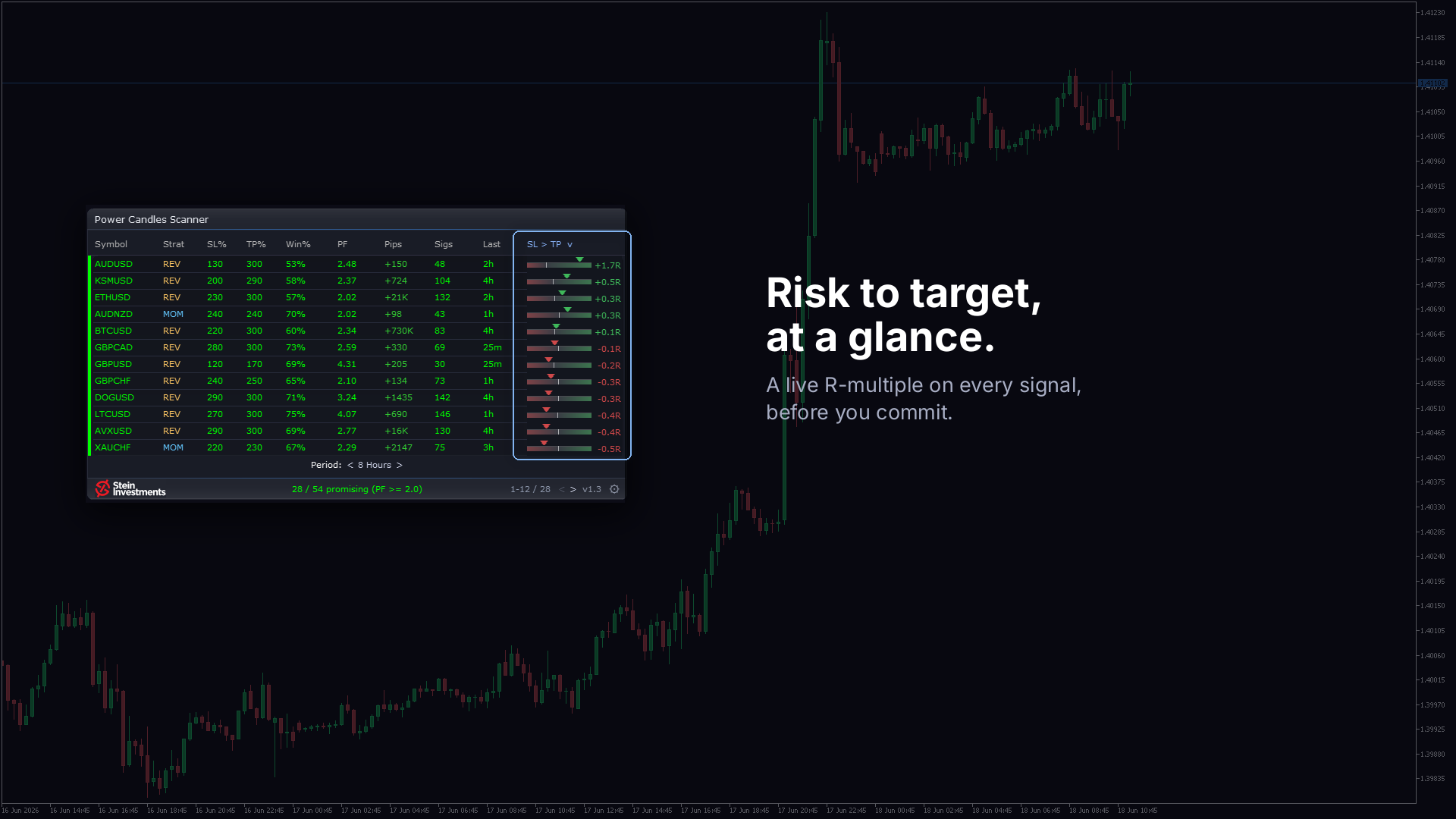
Three updates in two weeks, and the two most visible came straight out of your requests.
- A strategy filter points the scanner at one style. Pick Momentum or Reversal, and the list shows only the symbols where that strategy is the stronger one, ranked by profit factor. The alerts follow your choice, so you are called only to the setups you actually trade.
- The win rate now rides along in the alert, right next to the profit factor, so you can weigh a setup before you even open the chart.
- A new symbol in your Market Watch is picked up on its own, within seconds, and scanned. The results you already have stay untouched.
- Scanner and indicator run in lockstep: for the same symbol they report the identical result, from the strategy through stop and target to profit factor, win rate and signal count.
- Here too, your alert settings respond equally to the input dialog and to the settings tab.
We keep developing these tools, release after release. Your feedback sets the pace: we look at every request, work out the best answer to it, and ship it in a regular update. The strategy filter and the win rate in the alerts are two of many examples.
If you have an idea, or something you miss, tell us. The shortest route is the form in your profile: stein.investments/profile#support.
All three updates are free for owners. Update from the MQL5 Market, and your settings carry over.
Earlier editions: May to June 2026 · January to April 2026 · 2025