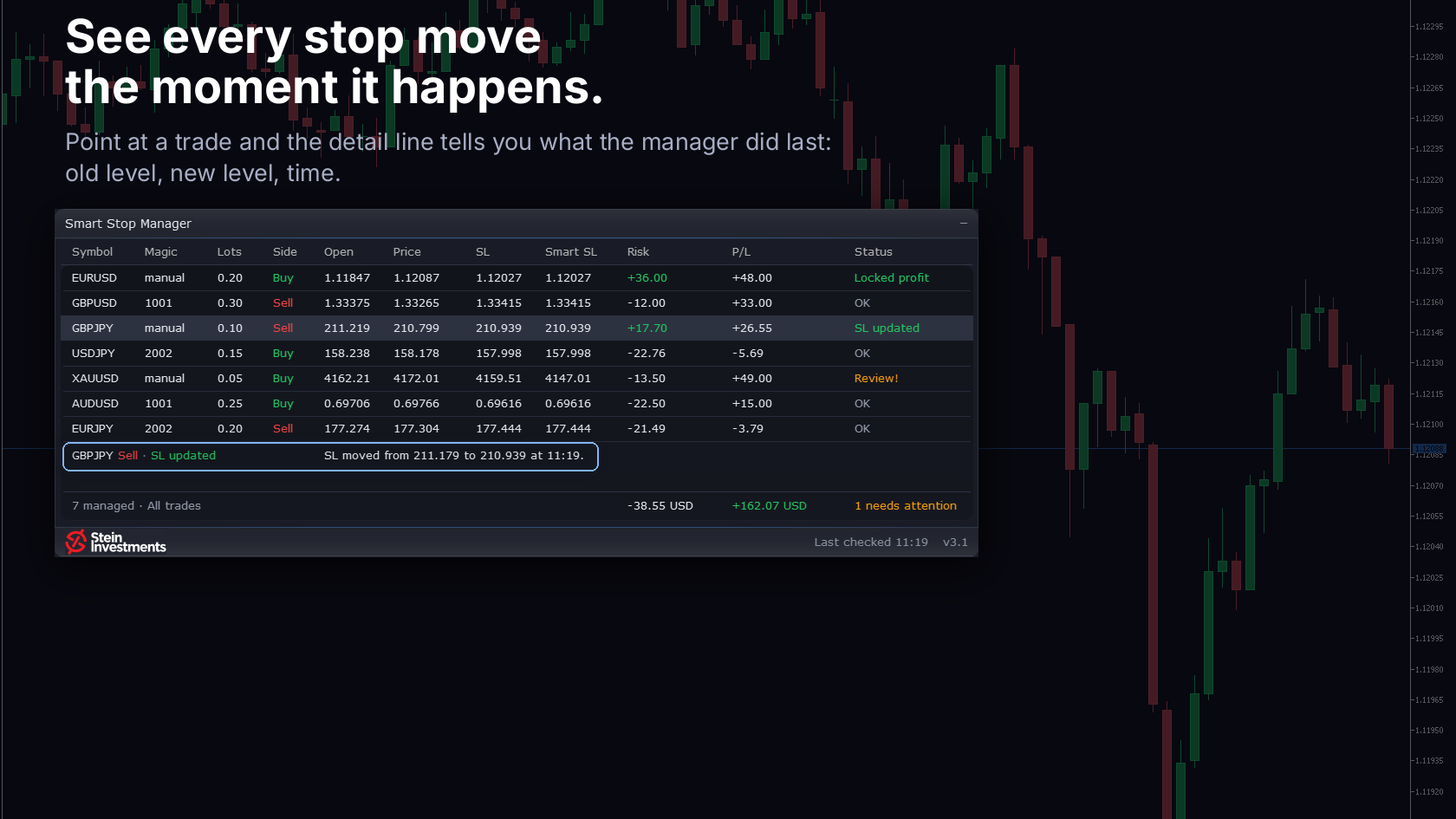
A stop manager works in the background, and that is what you want from it. Then you want to know what it did, and when. In 3.1 the row answers: when the manager moves a stop, the status shows "SL updated" for a minute, and the detail line names the old stop, the new stop and the time.
The same line explains in plain words why a row needs a look: the most urgent one by itself, any other when you point at it. The status column shows done in green, needs a look in amber and rejected in red. When the broker refuses a change, you see "SL update failed" with the broker's reason, and every stop change goes to the Experts log with its reason.
The idea behind the manager: the stop needed trailing by hand, on every open position, while the market kept moving. The Smart Stop logic does that for me. The stop moves on its own and only one way, toward less risk, and once tightened it holds. While the last confirmed structure runs against your trade, the manager leaves the position to your own stop and shows "No valid SL". When to take a trade off stays your call.
The panel shares its glass frame with the Smart Stop Scanner 4.0, and a click on a row switches the chart to that symbol. Its rows reach down to the bottom of the chart, a pager in the footer takes the rest, and one line under the table sums up the managed positions, the active filter, total risk, P/L and how many positions need attention.
Short stops include the spread. A short is stopped out on the Ask, so the stop the manager sets for a sell now sits the normal spread above the swing high, and the checks on a sell stop run against the Ask. Smart Stop Indicator and Smart Stop Scanner work by the same rule, so all three now follow one Bid/Ask logic. A short stop set by an earlier version stays where it is and shows "Review!" until a tighter stop is available.
Under "Manage trades by magic number" you choose all trades, only the magic numbers you list, or all except them. Manual trades carry 0, and a preset that managed a single magic number keeps managing it while the new list stays empty.
If you own the manager, 3.1 is a free update in the MQL5 Market. It also fixes two things from the previous version: every position your filter covers now gets its stop managed, including those beyond the visible rows, and the panel keeps responding while the manager retries after a broker error.
New to it? This is week seven of the autumn series: seven weeks, seven of my tools, each with its own week and exactly once, in a fixed order. Smart Stop Manager holds 59 USD instead of 79, 25% below the list price, until Sunday 25 October. Sunday night the list price is back, and it stays there.
Have a look. The next time a stop moves, the row tells you what happened.