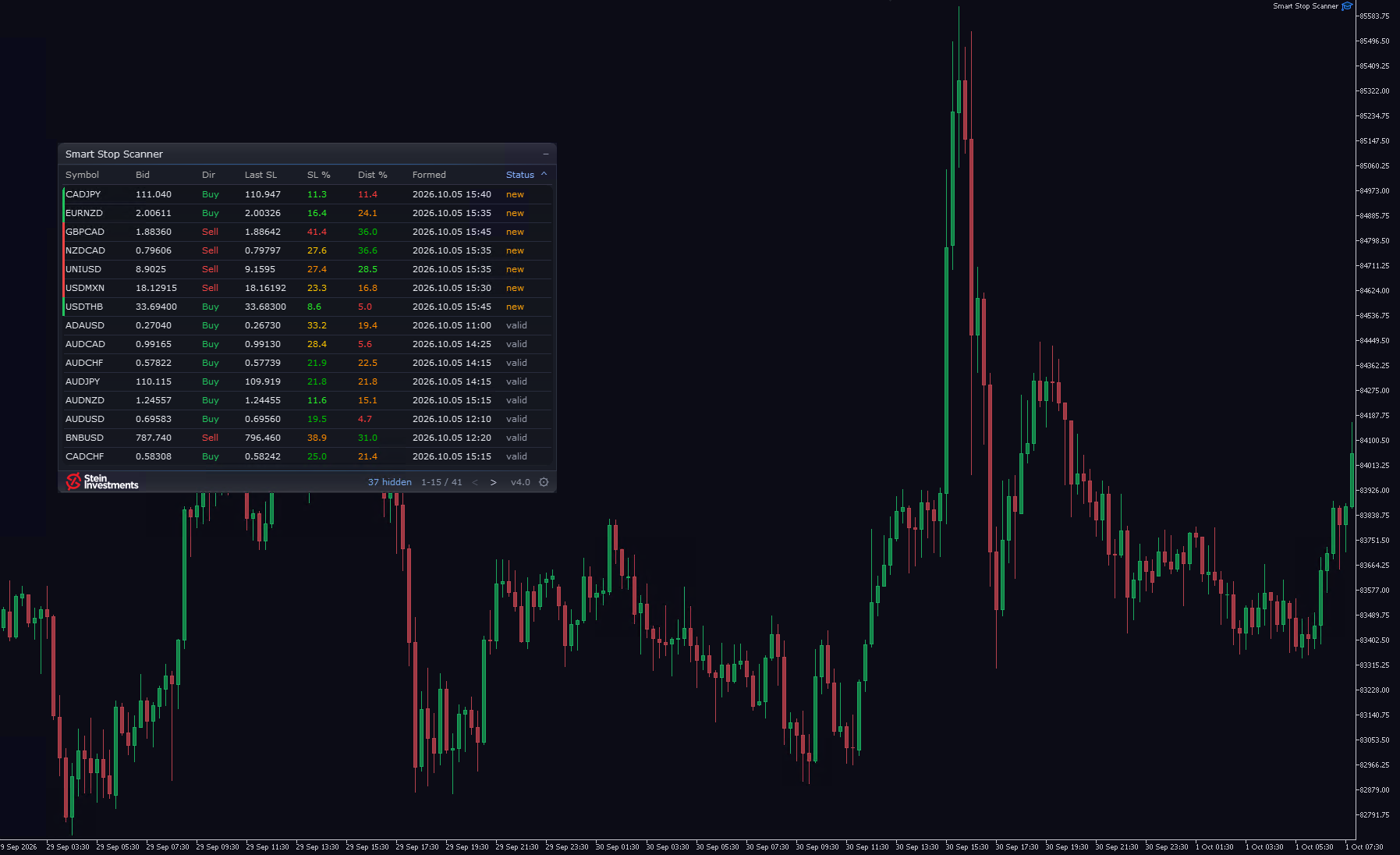
The symbols you trade already sit in your Market Watch. Smart Stop Scanner 4.0 takes its list from there and scans it live. Change your Market Watch and the scan follows, and an Include or Exclude list narrows it to the symbols you trade.
The scanner shares its look with the Smart Stop Indicator 3.0: one glass panel, one row per symbol, from bid and direction to last stop and status. New, valid or broken, you read it at a glance. The gear in the footer opens a settings page. One click hides broken stops or shows only new ones, and turns alerts and their popup, push and sound channels on or off. Each chart keeps your choice.
Short stops include the spread. A short is stopped out on the Ask, so "Last SL" and the alerts of a sell row now show the stop the normal spread above the swing high, by the same rule as the Smart Stop Indicator since 3.0. Buy rows stay as they were.
Alerts come for the symbols you list under Alerts, for new stops, broken stops and the distance warning alike, while the table keeps showing the whole scan. Every popup, push and email reads as one line with symbol, timeframe, event, stop and the name you give the scanner.
The panel is there the moment you attach the scanner and fills symbol by symbol. A symbol whose history is still loading shows "Loading" in its row while the rest carries on. Click anywhere on a row and the chart switches to that symbol. With the Smart Stop Indicator on that chart you see the level drawn, and the scanner panel stays in front of its labels. The minus in the header folds the panel to one status line. Two fixes: the tooltips over SL % and Dist % are back, and "Formed" shows the breakout bar that confirmed the stop.
If you own the scanner, 4.0 is a free update in the MQL5 Market. New to it? This is week five of the autumn series: seven weeks, seven of my tools, each with its own week and exactly once, in a fixed order. The Smart Stop Scanner holds 79 USD instead of 99, 20% below the list price, until Sunday 11 October. Sunday night the list price is back, and it stays there.