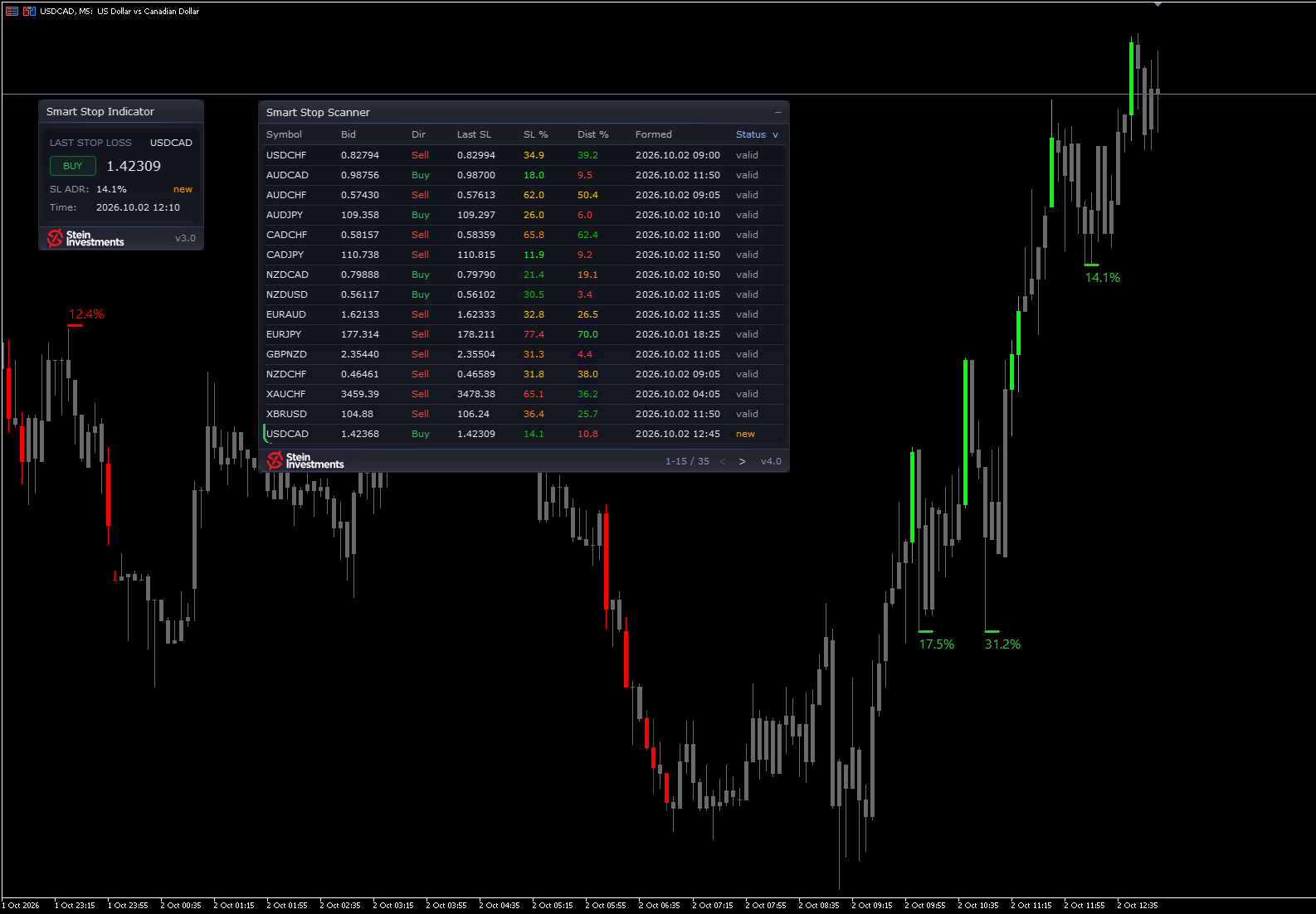
A stop level does its job when you read it at a glance and it sits where your broker really closes the trade. This week's update to the Smart Stop Indicator works on both.
The panel has a new design. It shares its layout with Power Candles: a title band, one field for all values, and a footer with logo and version. The stop level is the largest figure on it, in white, with an outlined BUY in green or SELL in red beside it, so where the last stop sits is the first thing you read. Each status now has its own colour, valid in green, new in amber and broken dimmed, so a fresh stop stands out at once. Everything the panel showed before is still on it.
Short stops now include the spread. A short is stopped out on the Ask, so the sell stop line, the panel level, the alerts and the stop value your EA reads now sit the normal spread above the swing high. A trader asked me for this, and it went into this update.
The chart stays responsive to ticks, new bars, timeframe changes and panel drags, however many stop levels it shows. When two levels sit close together, the older ADR label moves to a free spot beside its line, so both percentages stay readable, and the panel stays in front of them. With object descriptions switched on, the ADR labels stay clear, and a hover over a stop line shows its price. If you hide the candle colouring, your EA now reads the stop levels just as it does with the colouring on, and Hide Indicator Panel removes the panel at once.
Version 3.0 is in the MQL5 Market now and reaches every owner for free. Your saved presets load as before.
Week four of the autumn series ends on Sunday, 4 October at 23:59 CEST. Until then the Smart Stop Indicator holds 59 USD instead of 79, so this week the new version comes at the series price. On Sunday night the list price is back.